Introduction to GitHub
Learn how GitHub extends Git by providing a cloud platform for storing repositories and collaborating with other developers.
Introduction
Up to this point, you've been using Git entirely on your local computer. Git allows you to track changes, create commits, work with branches, and manage project history. However, modern software development rarely happens on a single computer.
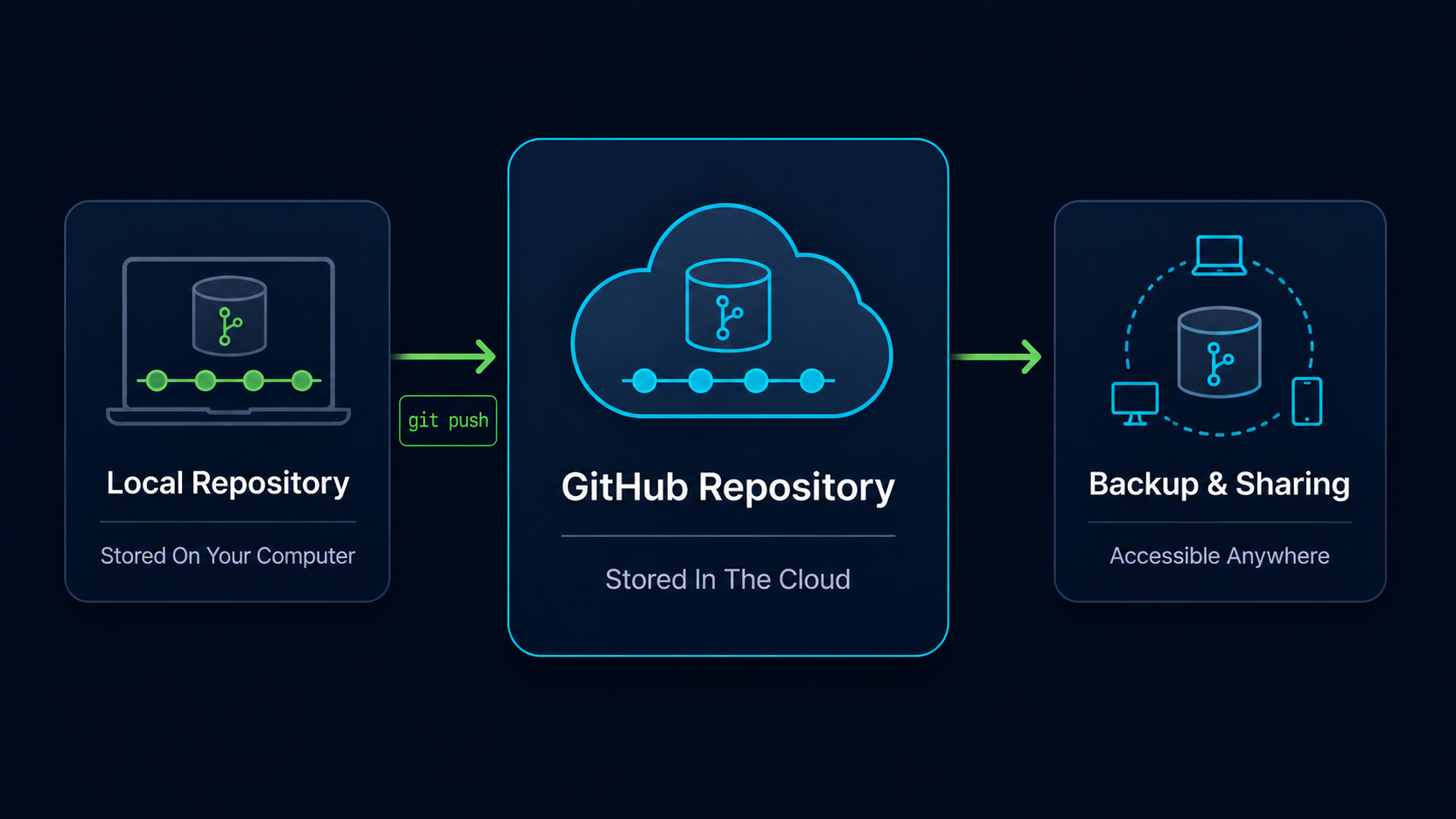
Developers need a way to store repositories online, back up their work, collaborate with others, and share code across multiple devices. This is where GitHub comes in.
In this guide, you'll learn what GitHub is, how it relates to Git, and why it has become one of the most important platforms in software development.
Why GitHub Exists
Git is excellent at tracking project history, but Git itself does not provide a central online location for your repositories.
Without a platform like GitHub, your repository would exist only on your computer. If your hard drive failed or your computer was lost, your project could disappear with it.
GitHub solves this problem by providing cloud-hosted repositories that can be accessed from anywhere.
Real World Example
Imagine building a website on your desktop computer. Without GitHub, the repository exists only on that machine. By pushing the repository to GitHub, you create an online backup and gain the ability to access the project from another computer whenever needed.
Git And GitHub Are Different
One of the most common beginner misconceptions is thinking that Git and GitHub are the same thing.
Git is the version control system. GitHub is an online platform built around Git repositories.
| Git | GitHub |
|---|---|
| Version control system | Cloud hosting platform |
| Tracks project history | Stores repositories online |
| Runs on your computer | Runs on GitHub servers |
| Creates commits and branches | Hosts and shares repositories |
| Works without internet | Primarily cloud-based |
You can use Git without GitHub, but GitHub becomes much more valuable once you begin collaborating with others or working across multiple devices.
GitHub Mental Model
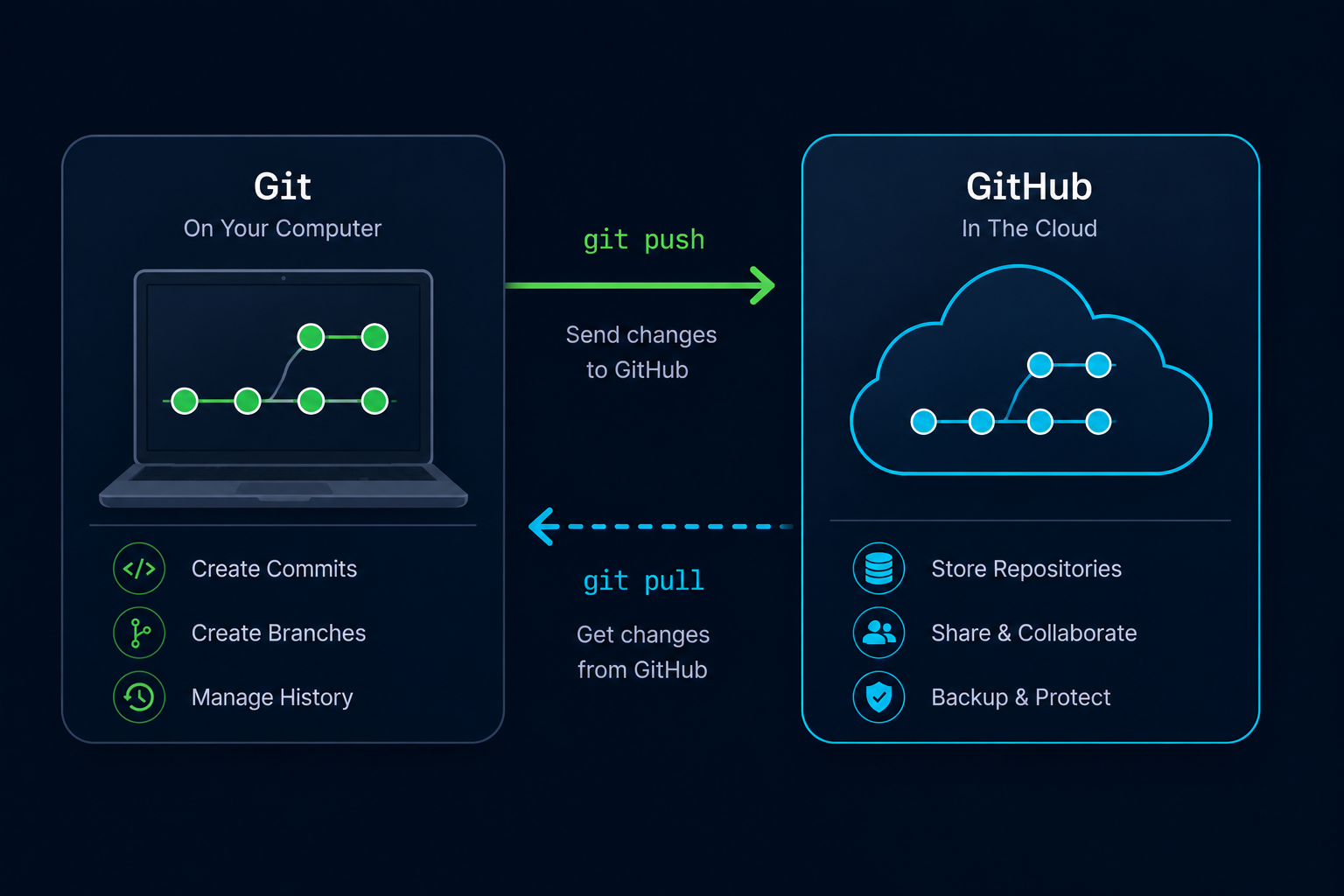
Think of Git as the engine that manages your project history and GitHub as the online home where that history is stored and shared.
Git creates commits and branches. GitHub stores those commits and branches on the internet.
Simple Mental Model
Git is the version control system. GitHub is the online platform where Git repositories live.
What Can GitHub Do?
GitHub provides much more than online storage. It has evolved into a complete software development platform used by individuals, startups, open-source communities, and large technology companies.
| Feature | Purpose |
|---|---|
| Repository Hosting | Store repositories online |
| Backup | Protect projects from data loss |
| Collaboration | Work with other developers |
| Pull Requests | Review proposed changes |
| Issues | Track bugs and tasks |
| Actions | Automate workflows |
| Documentation | Publish project information |
While many of these features are advanced topics, understanding their purpose helps explain why GitHub became so popular.
Understanding Remote Repositories
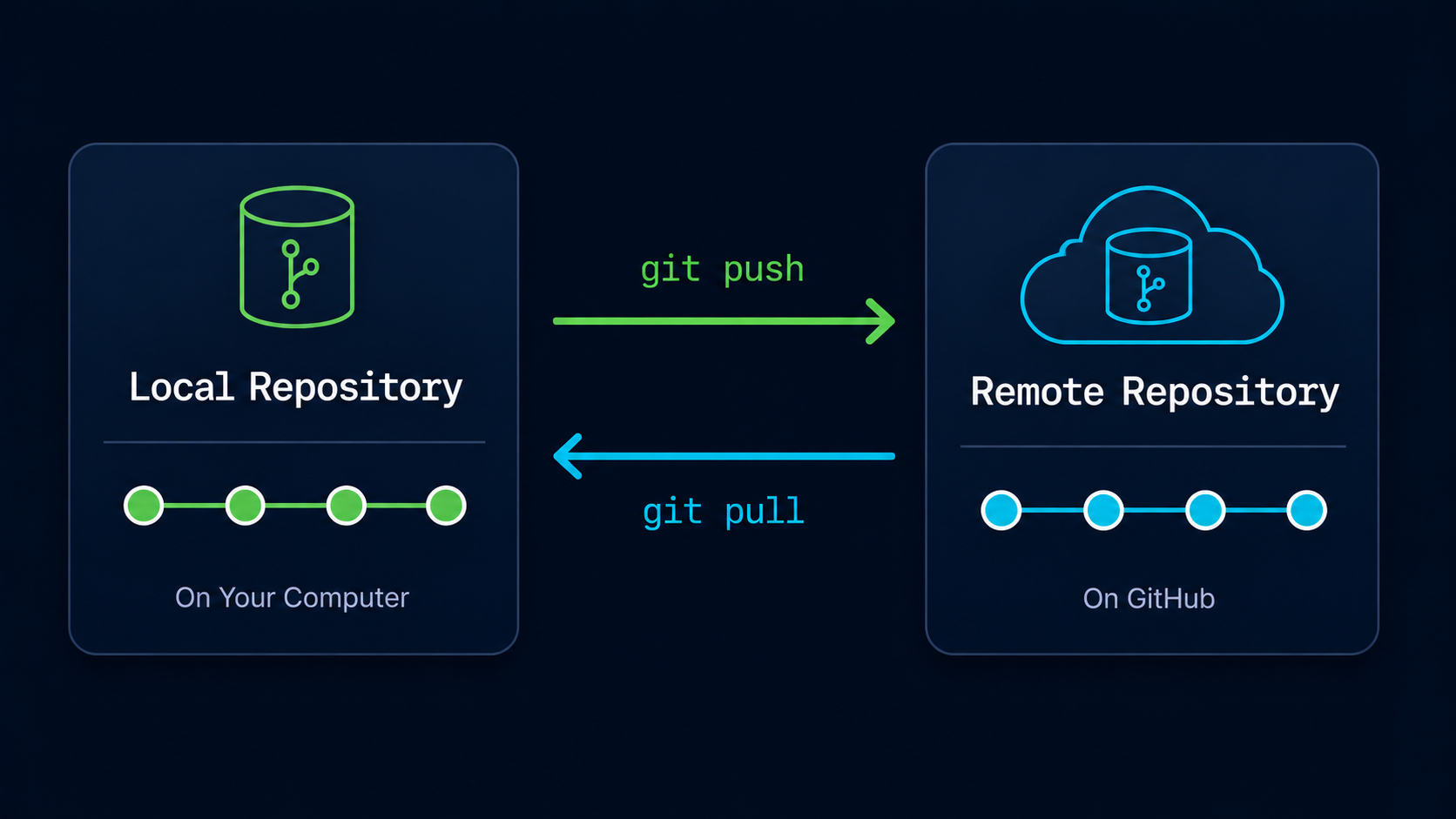
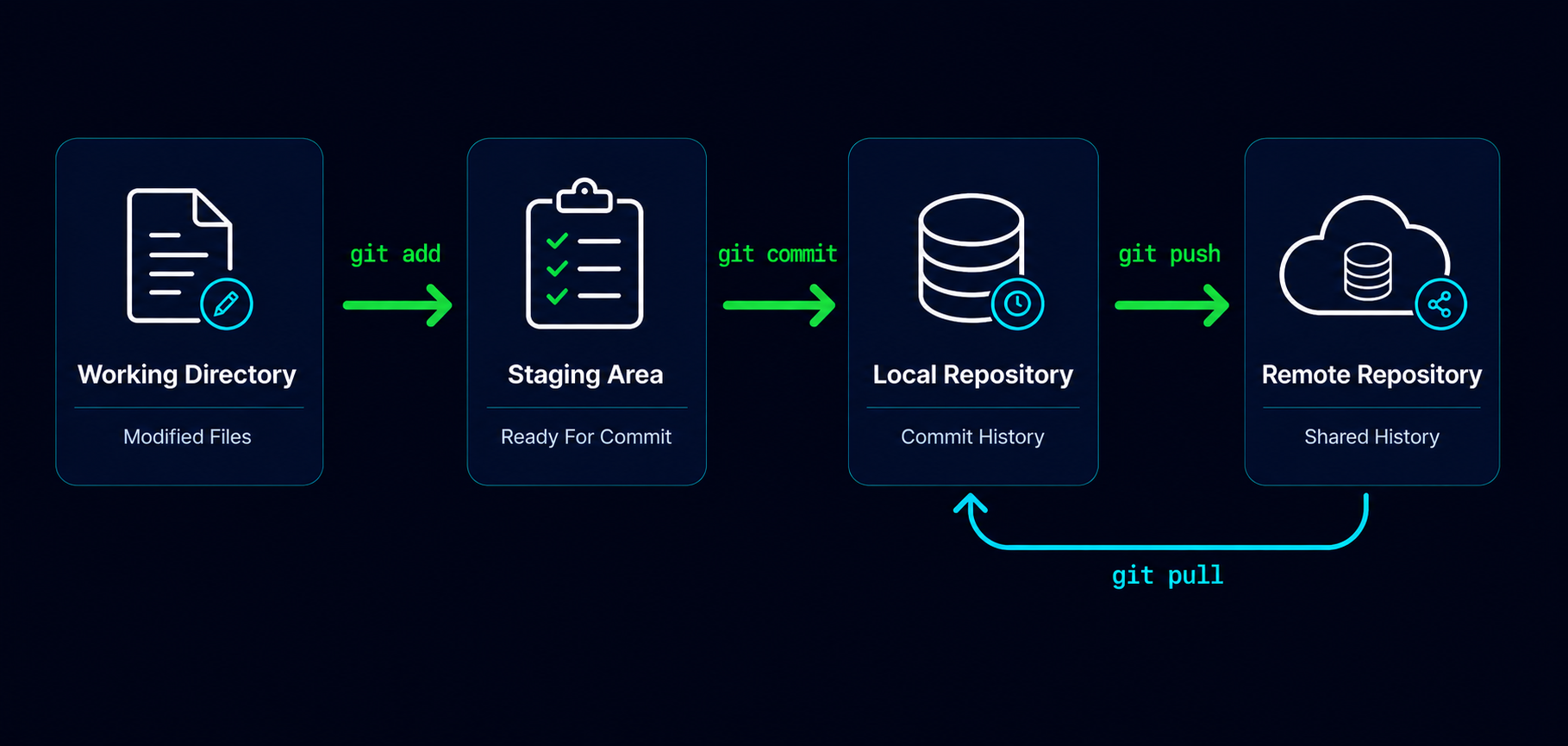
A repository on your computer is called a local repository. A repository hosted on GitHub is commonly called a remote repository.
Git allows these repositories to synchronize with each other.
| Repository Type | Location |
|---|---|
| Local Repository | Your computer |
| Remote Repository | GitHub servers |
Later in this learning path, you'll learn how to connect local repositories to GitHub and transfer changes between them.
Why Developers Love GitHub
GitHub became popular because it solves several important problems at the same time. It provides backup, collaboration, visibility, and a central location for software projects.
Open Source Example
Thousands of developers contribute to projects such as programming languages, frameworks, and developer tools through GitHub. Contributors from around the world can collaborate on the same repository without being in the same location.
Today, many employers, development teams, and open-source communities use GitHub as a standard part of their workflow.
GitHub In The Git Workflow
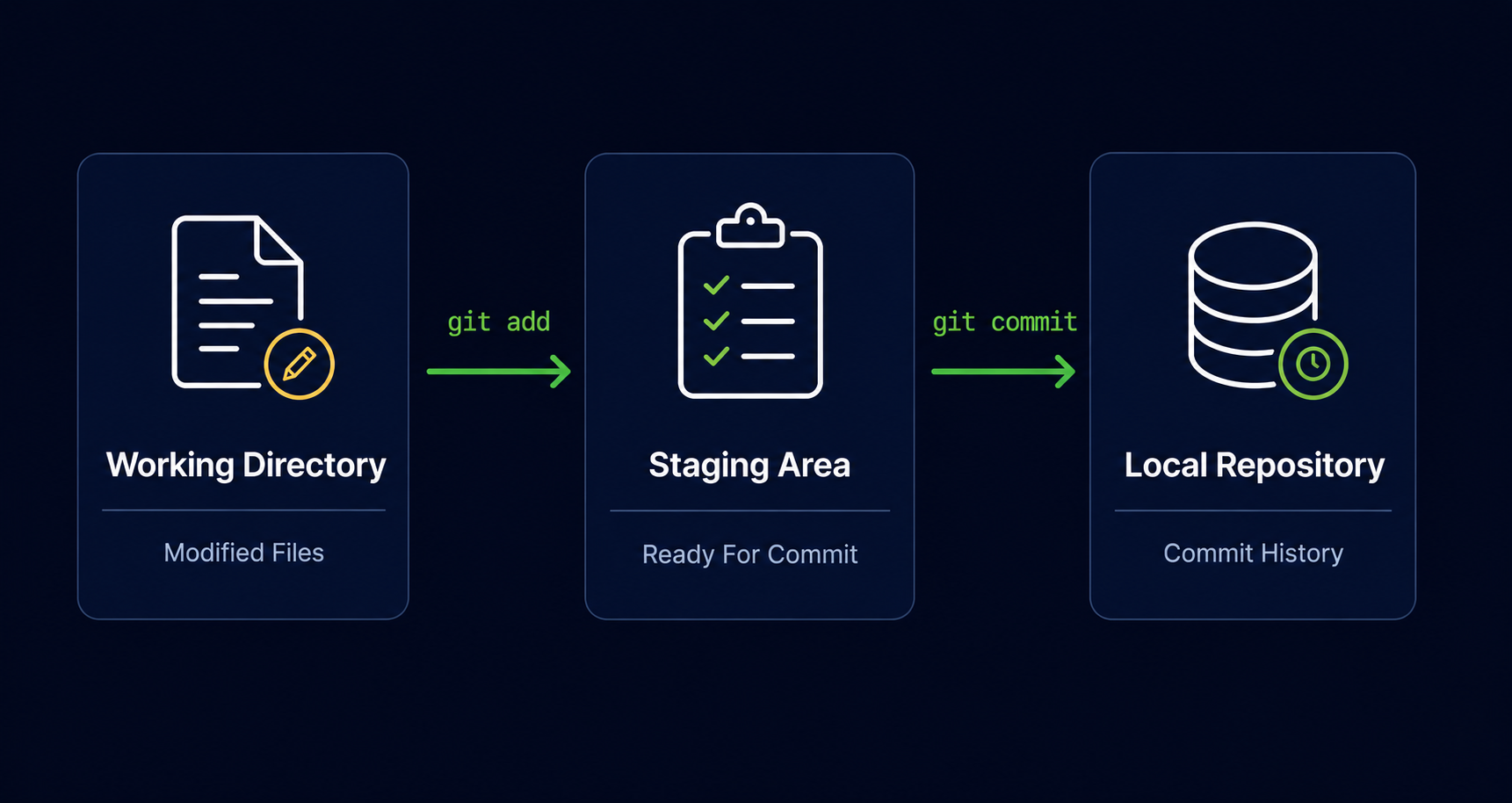
So far, your Git workflow has looked like this:
Once GitHub enters the picture, a new destination is added to the workflow.
Common Beginner Mistakes
| Mistake | Why It Happens | Better Habit |
|---|---|---|
| Thinking Git and GitHub are the same | Similar names | Remember Git is the tool and GitHub is the platform |
| Assuming Git requires GitHub | GitHub is highly visible | Understand Git works independently |
| Thinking GitHub is only for teams | Collaboration focus | Individuals use GitHub too |
| Believing GitHub automatically backs up local work | Misunderstanding synchronization | Changes must be pushed to GitHub |
Why This Step Matters
Understanding GitHub is the bridge between learning Git locally and participating in real-world software development workflows.
Nearly every modern Git workflow involves some form of remote repository. Learning GitHub prepares you for collaboration, backup strategies, open-source contribution, and professional development environments.
Conclusion
In this guide, you learned what GitHub is, how it differs from Git, why remote repositories exist, and how GitHub helps developers store, share, and collaborate on projects.